A human reader is usually ideal for a dialogue self-tape, but availability and deadlines do not always cooperate. A digital reader can supply the opposite lines if you set the eyeline, sound and timing carefully. Always follow the casting team’s specific instructions first.
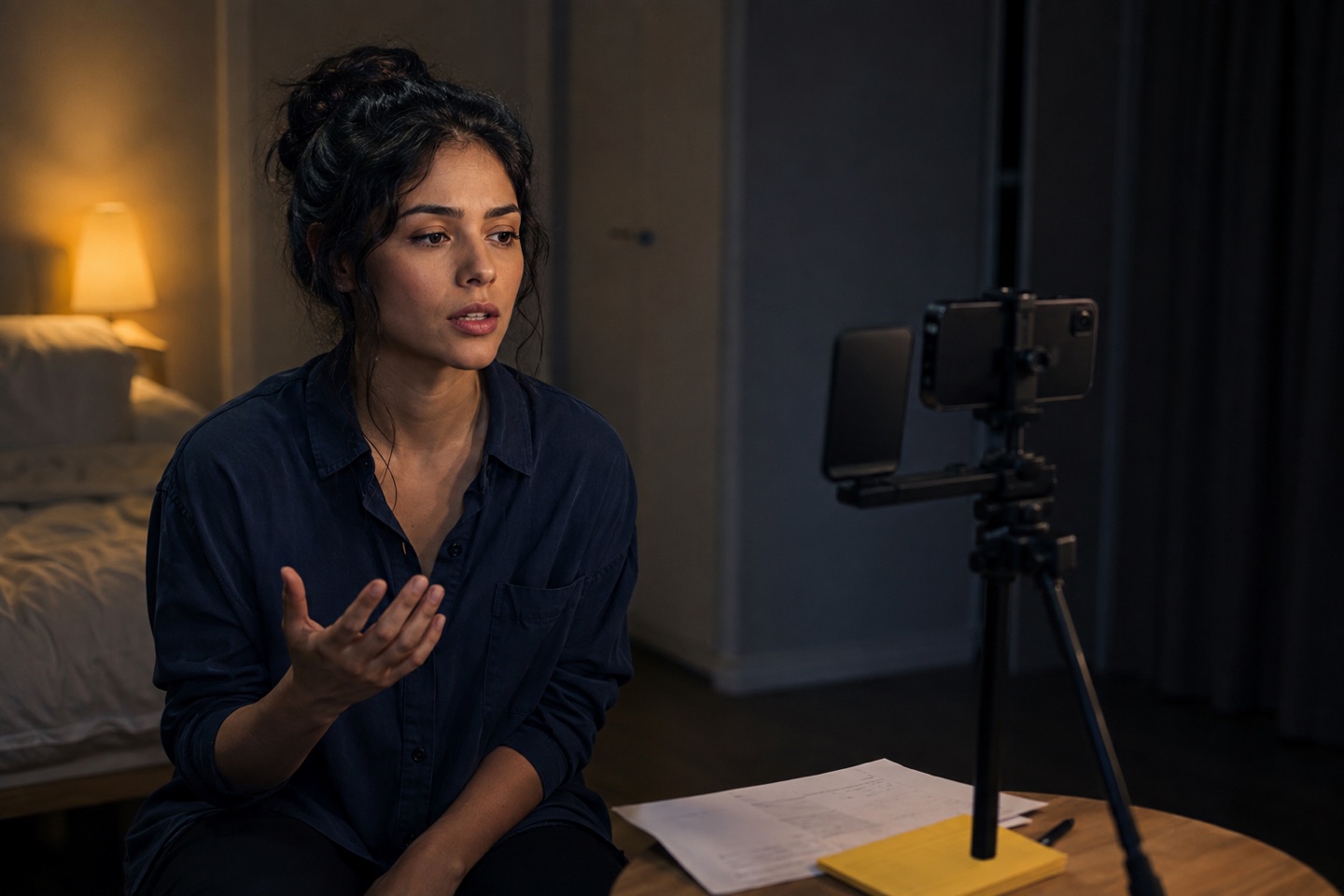
Choose the reader you can work with
Check the brief before choosing a workaround. If it asks for a human reader or rules out synthetic voices, follow that instruction. If you cannot meet it, contact the casting team or your agent rather than quietly substituting something else.
Recording with one iPhone
Action 1.8 can record your performance and the other characters’ dialogue in the same app. Import your PDF, check the scene and selected role, then open self-tape recording. Rehearse once before recording a short test. Play the saved file back to check your voice, the reader and the framing.
The gallery keeps takes and recorded intros organised by script. Pro includes unlimited self-tape takes; Ultra includes everything in Pro. See the recording tools and plan limits before choosing a plan. A separate camera and reader device remain useful for a remote human reader or recorded cues.
Using a separate camera and reader
For a separate-device setup, use a phone or camera to record and a second phone, tablet or laptop for the reader. A borrowed laptop is enough to play recorded cues or host a call. You also need a stable support, a quiet room and light that lets us see your face.
Only have one phone? Check whether your particular app can record video and include reader audio at the same time. Ordinary camera and playback apps may interrupt one another. A Bluetooth speaker does not solve that limitation because it still needs a device to play the recording. Make a test file first, or borrow a second device.
Give your eyes somewhere to land
Set the framing and orientation requested in the brief. Place a small eyeline marker beside the lens, roughly at the imagined partner’s eye level. Look at that point during the scene, not at your own face on screen. Direct address is different: look into the lens when the scene or brief calls for it.
Records the take
Just beside the lens
Face the camera; look towards the marker
There is no fixed distance that suits every room and lens. Record a line, then check that your eyes remain visible and your head is not turned too far away. Keep the marker in place once the eyeline works.
Make a short test you can trust
Record about twenty seconds using the exact camera, microphone and reader arrangement you intend to use. Include a reader cue, a quiet response, a louder line and a pause. Stop and play back the saved file. Hearing the reader in the room does not prove that it is in the recording.
- Can you understand both parts without changing the playback volume?
- Is your voice clear, with the reader quieter but still intelligible?
- Does the quiet line survive, without the loud line sounding harsh or distorted?
- Is the first word of each line present, including after a pause?
- Does playback continue correctly when the camera starts recording?
If you use headphones to hear the cues, check where the reader audio goes. It may reach your ears but not the finished video. Do not assume an app mixes it into the file. Listen to the export itself.
Try a different pace before the take
Run the scene once without recording. Then take a little longer over one response. You are checking whether the setup leaves room for the scene, rather than teaching yourself to obey it. If a cue arrives too early, adjust the gap or reader settings and repeat that exchange.
With a remote reader, agree where the scene starts and how you will reset. With an app, check that the right role is muted and that stage directions have not become spoken dialogue. If you need help preparing the text, start with working through your audition sides.
A short scene to test the setup
This original practice scene is for checking your reader, not for submitting in place of audition sides. Play Alex. Alex wants Sam to stay; Sam is already leaving. Keep the eyeline where Sam would be.
Sam: The taxi’s outside.
Alex: You said we had until six.
Sam: It is six.
Alex looks at the untouched cup on the table.
Alex: I made you tea.
Sam: I didn’t ask you to.
Alex: No. You didn’t.
On the first pass, Alex tries to keep the conversation ordinary. On the second, Alex lets the silence after “It is six” last long enough to notice the cup. Keep the words unchanged. Does the next cue wait, or does it force you past the thought?
Watch both recordings. Listen for the ends of your lines and check whether looking at the cup takes your face out of the light. Change one thing, such as the reader volume or the cup’s position, and test again. You are ready for your actual sides when the words are audible, the eyeline works and you can vary the pace without fighting the equipment.
If the test does not work
- The reader is louder than you
Turn down its speaker or move it farther from the recording microphone. Keep the eyeline marker where it was. Re-record the same exchange so you can hear the difference.
- You can hear cues live, but not in the file
Check headphone and Bluetooth routing. For this two-device setup, try the reader through its own speaker and let the camera microphone capture both voices. Test again before recording a full scene.
- The remote voice breaks up
Pause and check the connection at both ends. Try the exchange without overlapping speech. If words are still missing, use a different permitted reader setup rather than recording repeated unusable takes.
- The app misses a cue or cuts you off
Check the imported words and selected role first. Then review its advance settings and test the troublesome line at your intended volume. Do not change the script to make recognition easier.
- You keep glancing at the screen
Move distracting playback controls out of your sightline while keeping them reachable between takes. Practise the exchange against the marker before recording again.
Using Action! with a separate camera
Prepare the reader in four steps
- Import the audition-side PDF into Action!.
- Select the scene and choose your role.
- Generate the other roles and set the device near your eyeline.
- Rehearse one full run, adjust volume, then start the camera on your recording device.
Action! is designed for spoken rehearsal first. Use it to solve lines and timing before asking the recorded take to carry everything at once.
Get your self-tape readerBefore you send it
Keep the brief beside this checklist. Its requirements take priority over general advice, including anything in this guide. You can print this page to keep the checklist nearby.
- The requested scenes, slate and number of takes are included, in the requested order.
- Framing, orientation and eyeline match the instructions.
- The final file contains every line, with your voice clear and the reader audible.
- No notification, call or equipment noise interrupts the scene.
- The beginning and end are intact, with no accidental cut in the dialogue.
- The filename, format and file size meet the submission requirements.
- You have watched the whole exported file, not just the camera preview.
- The upload has finished. You have checked the confirmation and, where available, played the uploaded version or checked the sharing permissions.
If a file or link fails, keep the working export and follow the submission contact instructions. Repeatedly recording the scene will not fix an upload problem.